OutReply reads your brand description, your brand rules and the engagement on your latest Facebook or Instagram posts, then suggests posts for the next 30 days, built around holidays and events. Each idea sits on your calendar; click it to open a pre-filled draft.
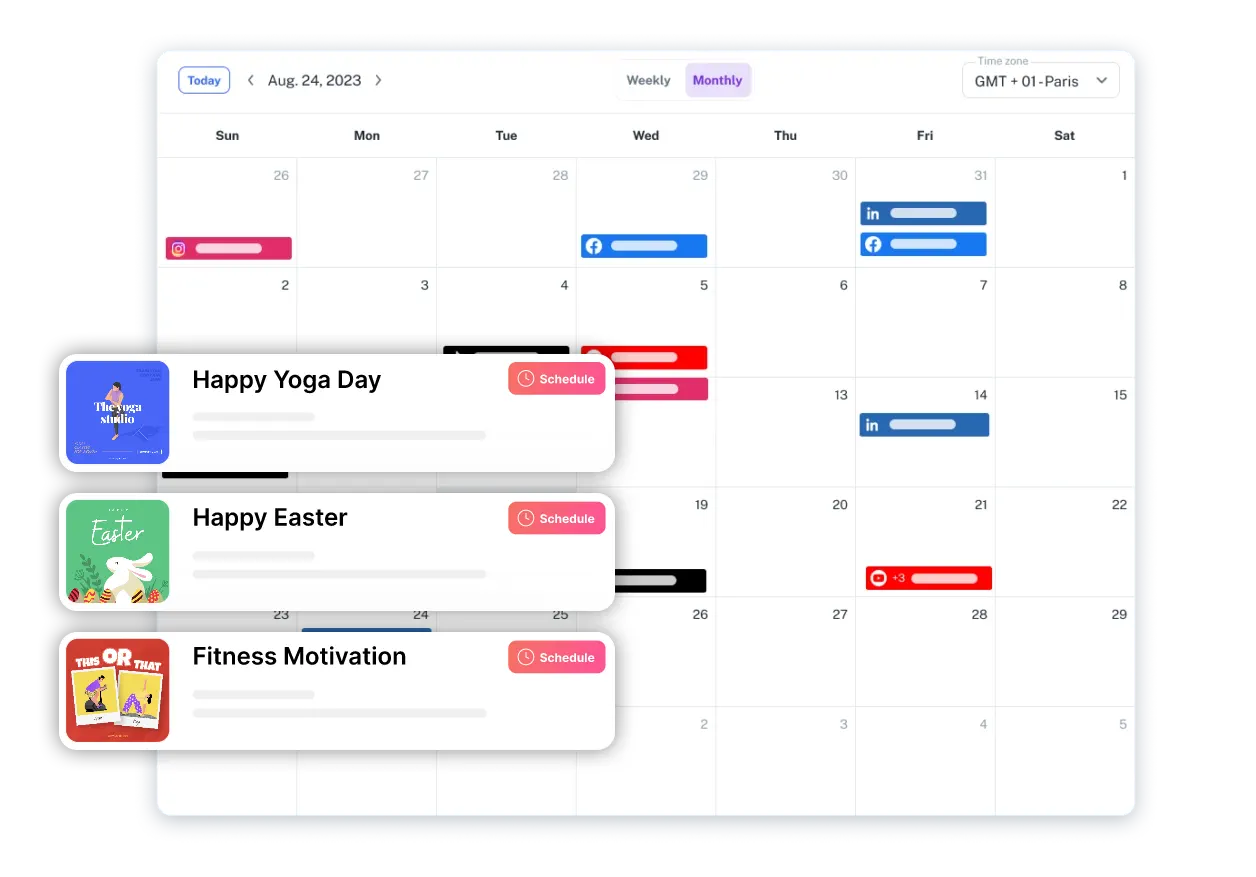



Generic "post ideas for March" lists don't know your business. These suggestions start from three things OutReply already has.
The brand description plus any rules you tagged for posts or strategy, such as "we share a customer story every Friday" or "never discount the tasting menu".
Engagement on your latest posts from a connected Facebook Page or Instagram account, so ideas lean towards what already works.
Holidays and events coming up in the period. Hospitality brands also get seasonal and availability context from their property profile.
For example, a bakery might see a Mother's Day pre-order post placed the week before, with a brief to show the gift boxes and a reminder of the order deadline.
Post suggestions are a paid feature. On the Free plan the calendar still shows everything you schedule, and the free post ideas generator gives you ideas without an account.
Calendar and scheduling for everything you create. No AI suggestions; use the free post ideas generator instead.
Includes AI recommendations on the calendar across 3 brands.
Adds AI-recommended scheduled posts and AI brand analysis across 10 brands.
An AI model receives your brand description, the brand rules you tagged for posts or strategy, and engagement from your latest Facebook or Instagram posts. It returns at least five ideas for the next 30 days, prioritising holidays and events.
Paid plans. Advanced ($30/mo) includes AI recommendations and Elite ($45/mo) adds AI-recommended scheduled posts. On Free, the calendar shows an upgrade prompt instead.
No. A suggestion is an idea on your calendar. Nothing is posted until you open it, finish the draft and schedule or publish it.
Yes. Add rules to your brand's AI settings and tag them for posts or strategy, for example the themes you want each week or topics to avoid. New suggestions follow them.
The free post ideas generator on our tools page suggests ideas for any niche without an account. It doesn't know your brand or your results, and it doesn't add anything to a calendar.
Start free, connect your accounts, and upgrade when you want AI ideas on your calendar.